
Keyboard-first
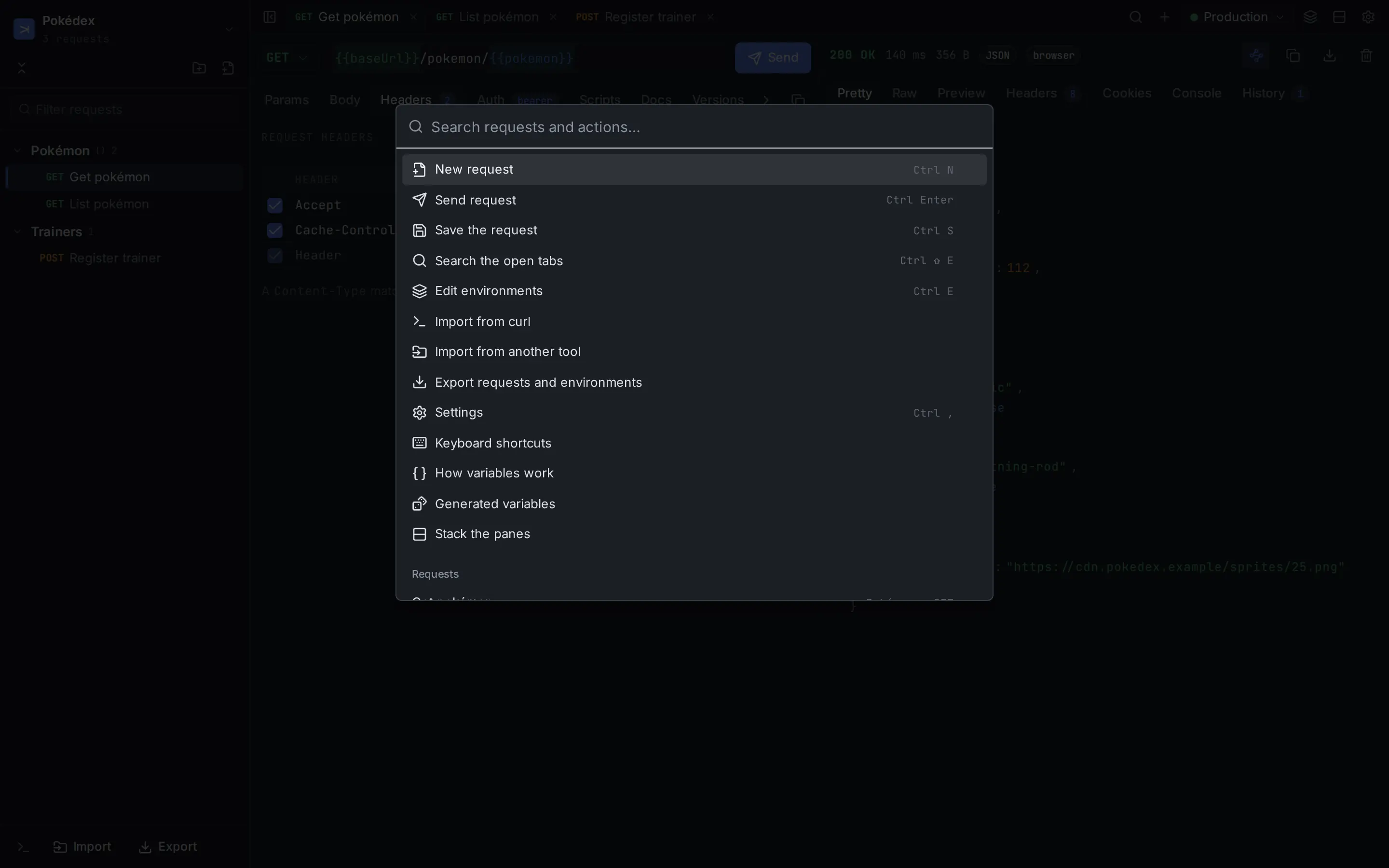
Search everything with CtrlK, jump to a request with CtrlP, send with CtrlEnter. Every shortcut can be remapped.
Desktop HTTP client
Carom is a desktop client for composing, organising and sending HTTP requests. Keyboard-first, with variables scoped by folder and environment, and responses that are easy to read.
macOS, Windows and Linux · updates itself where the system allows
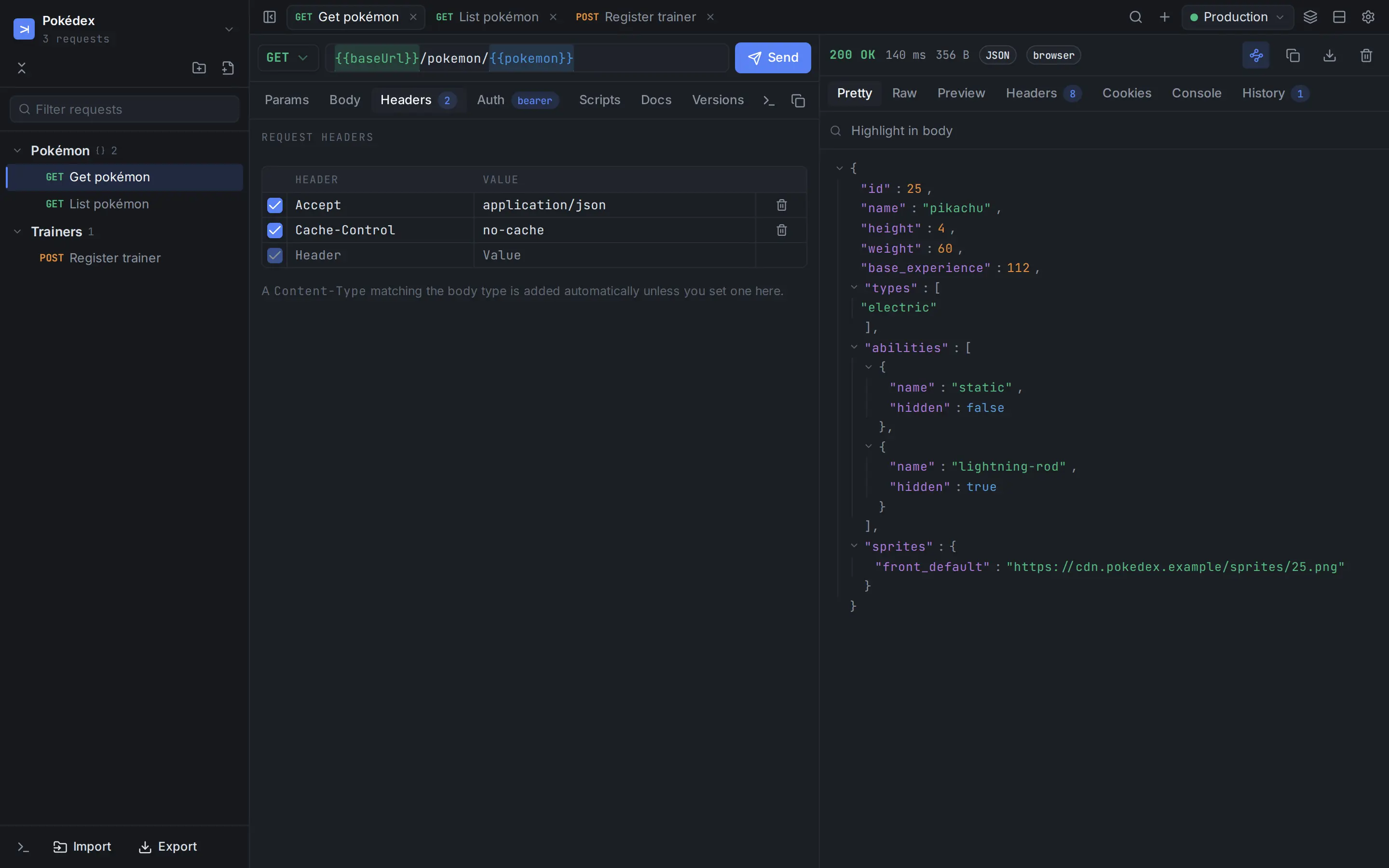
The pieces you reach for all day, close at hand and consistent with each other.
Search everything with CtrlK, jump to a request with CtrlP, send with CtrlEnter. Every shortcut can be remapped.
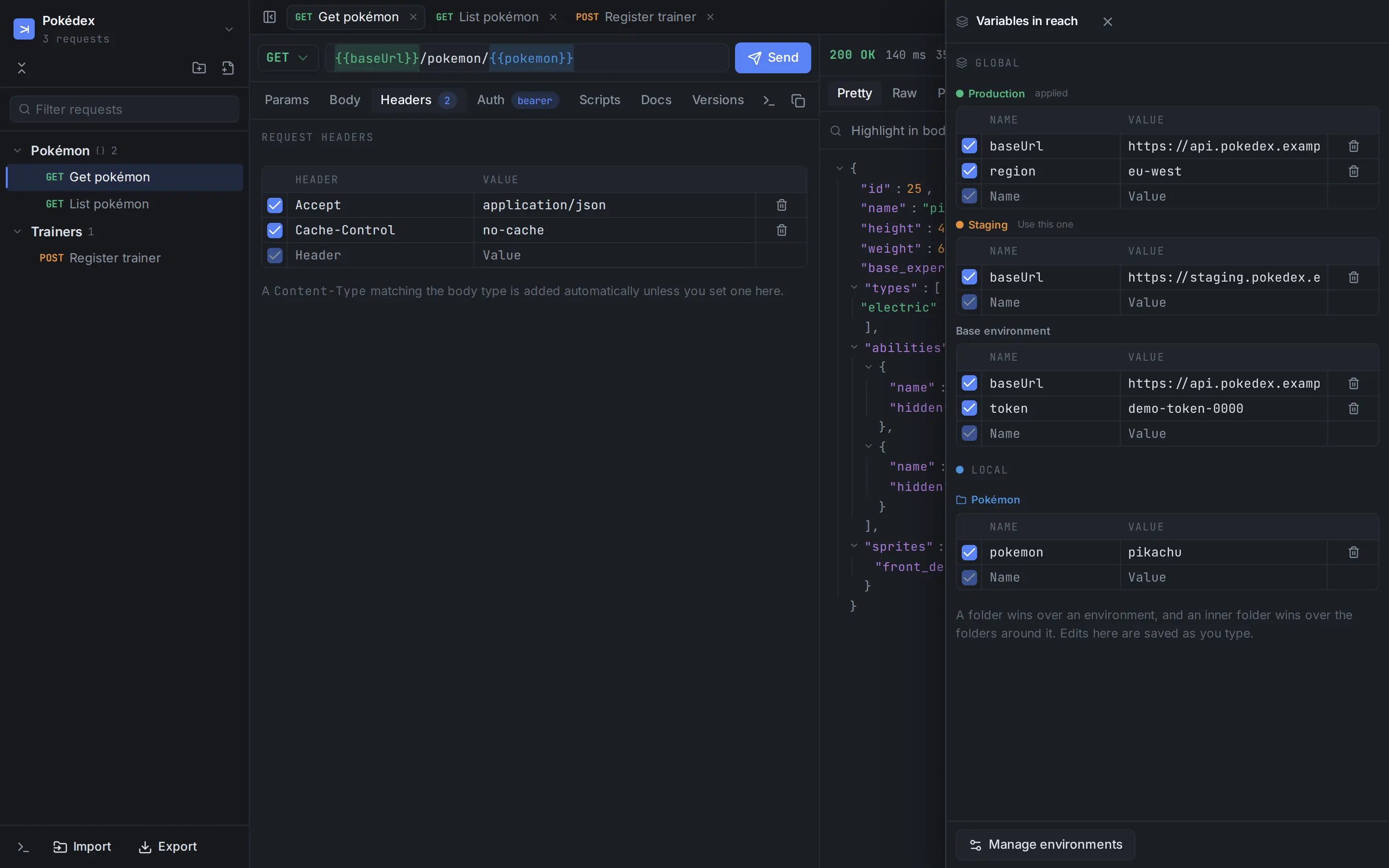
Write {{baseUrl}} once. A folder can override the active environment, which can override the base — and hovering shows you which one won.
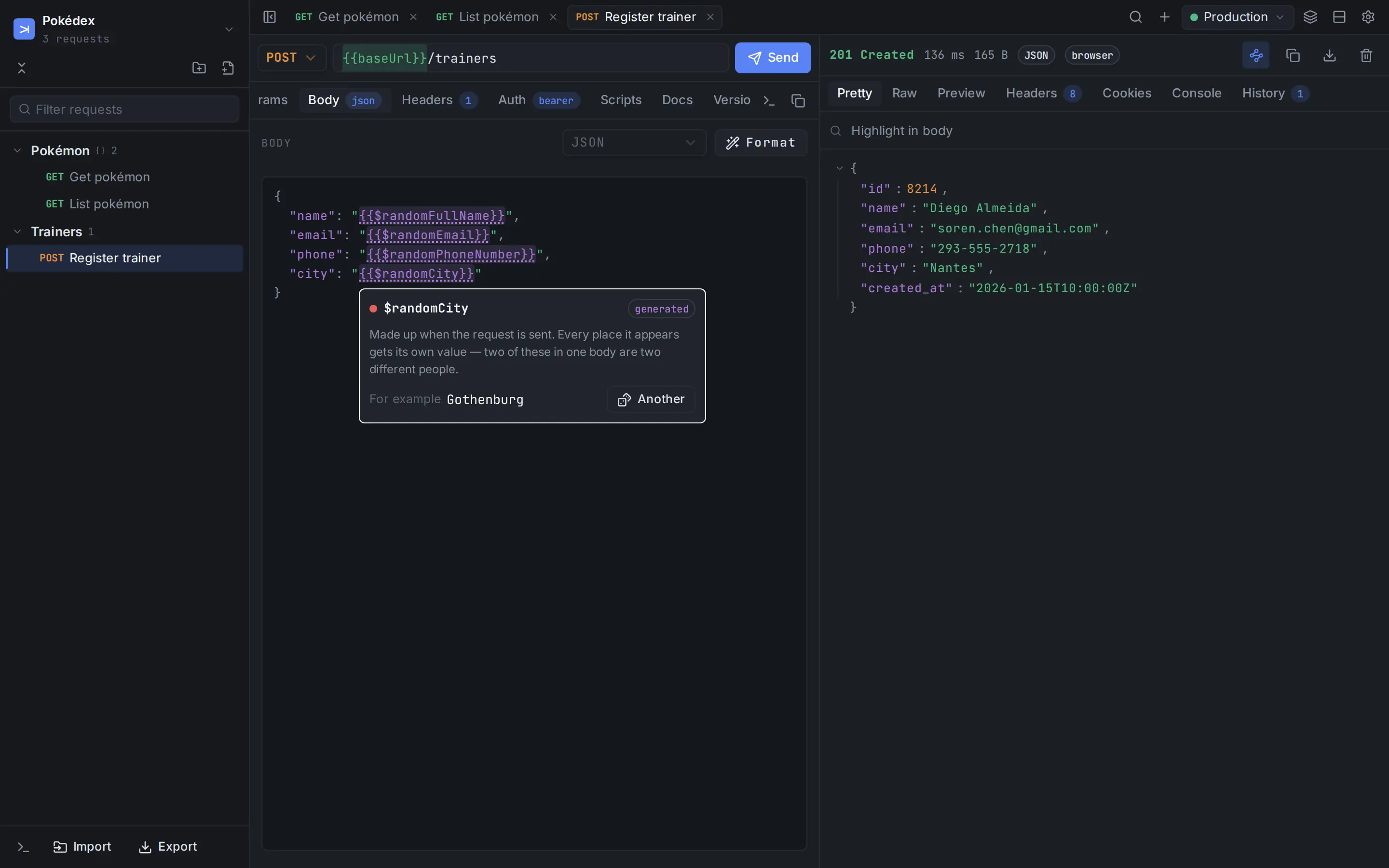
67 generators such as {{$randomFullName}} and {{$randomEmail}}, named like Postman’s. Every occurrence gets its own value, in the language of your choice.
Pre-request and post-response scripts on a request or a whole folder. Save a token from one response and use it in the next request.
Import from Postman, Insomnia, OpenAPI, HAR or a curl command. Export to Carom or OpenAPI 3.1, or copy any request as curl.
Five built-in palettes plus your own colours, dark or light, in English, Português or Español.
Real screenshots of the app, sending requests to a made-up API.
Press CtrlE and a drawer slides in beside your work. Staging, production, your machine — each with its own colour so you always know where a request is going.
One palette for requests, workspaces and commands. Type a few letters of a name, or reach for a specific list: CtrlP for requests, CtrlR for workspaces, CtrlShiftP for commands.
Put {{$randomFullName}} in a body and a new person is made up each time you send. Hover a variable to see what it is, get another example, or define it.
Pick a palette, tune the colours, scale the type. The colours of JSON syntax are yours to change too.
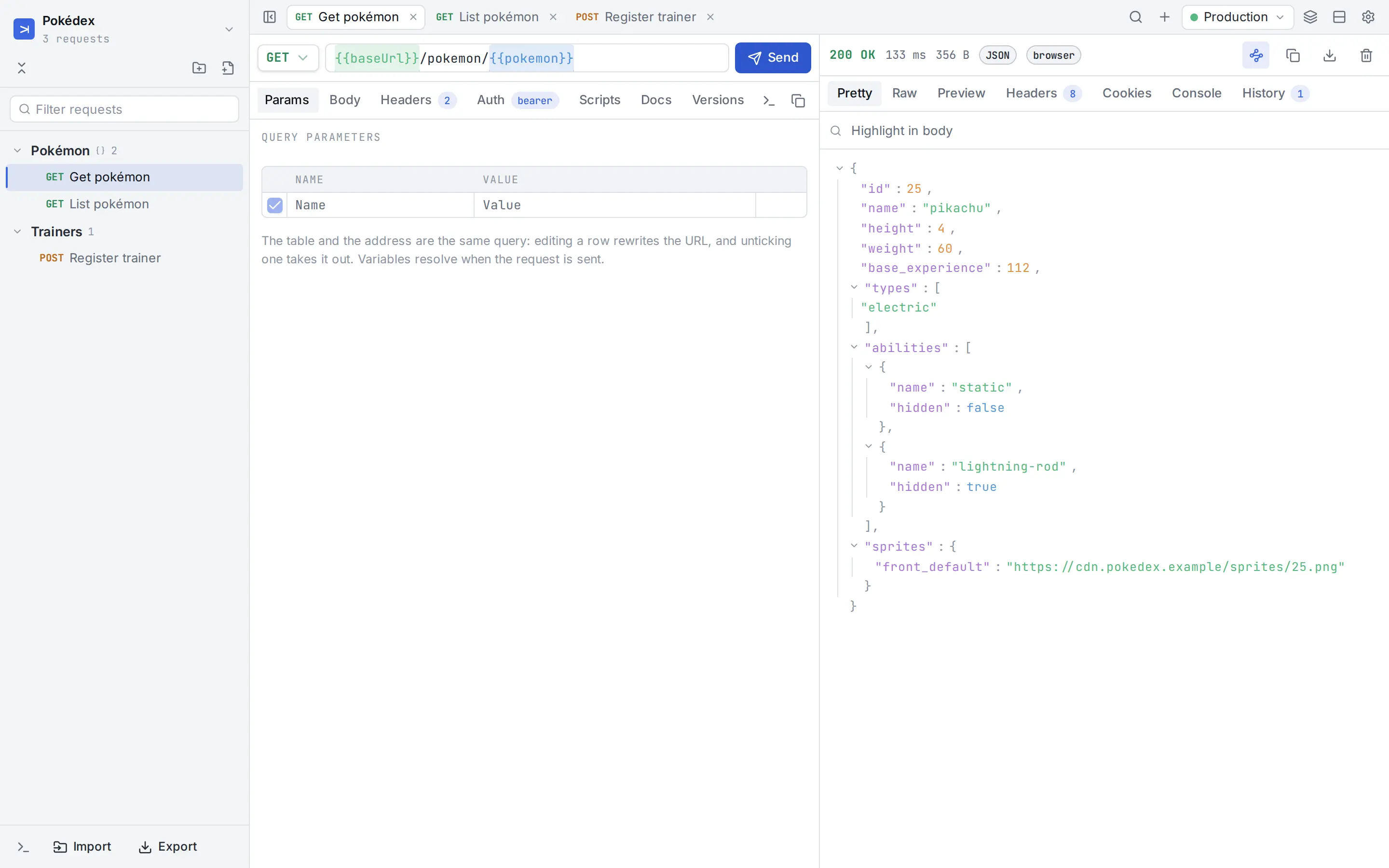
Screenshots show a staged workspace. The interface is the real one; the API and its data are invented.
The desktop app sends requests natively, the way curl does — not through a browser, and not through anyone’s server.
A browser decides which APIs a page may call. A native client does not have that rule, so the API you are building answers however it would to any client.
Reach localhost, addresses on your network and internal services directly — the things a web-based client can never see.
Nothing to sign in to. Your workspaces live on your machine, and go into a folder of your choosing when you want to share them.
Moving in should not mean starting over, and moving out should not mean a rewrite.
Choose what to bring in and where it goes — including environments. Generated variables keep the Postman names, so collections that used them keep working.
On the desktop, a workspace can live in a folder of your project. The folder is the record: open the workspace and it reads it, change something and it is written back.
git pull, say — it stops and tells you rather than overwrite it.Carom is a tool that runs on your computer. It is built so that what you send and what you get back is between you and the API.
Pick your system. The buttons take you to the latest release; if your browser blocks the direct link, the Releases page has every file.
Apple Silicon (M1 and later) or Intel. Drag Carom to Applications, then see the first-run note below.
The .exe installer is the simplest. An .msi is there for managed installs.
.deb for Debian and Ubuntu, .rpm for Fedora and RHEL, .AppImage for anything else.
Looking for something else? All installers are on the Releases page.
Carom is not signed with a paid developer certificate yet, so macOS and Windows ask you to confirm once. That is expected and does not mean anything is wrong with the download.
After dragging Carom to Applications, remove the quarantine flag your browser added — one line in Terminal:
xattr -cr /Applications/Carom.appPrefer no Terminal? Double-click Carom and press OK, open System Settings → Privacy & Security, scroll down, choose Open Anyway and confirm. You only do this once.
SmartScreen shows this for installers without a code-signing certificate. Choose More info → Run anyway.
The .deb and .rpm install through your package manager. The AppImage needs to be made executable first:
chmod +x Carom_*_amd64.AppImage
./Carom_*_amd64.AppImage
System libraries needed: libwebkit2gtk-4.1-0 and libgtk-3-0 (the packages declare them; the AppImage does not).
The macOS, Windows and AppImage builds can update themselves from inside the app. The .deb and .rpm belong to your package manager, so Carom points you to the release page instead.
Yes, it is free to use for now. The source code is public so anyone can read and audit it, but Carom is not open source: reading it does not give the right to copy, modify or redistribute it. The terms may change for future versions; a version you already have keeps the terms it was released under. Read the license.
There is a browser build, but a browser cannot do what a client needs: CORS limits which APIs it can call and a page can never reach localhost or your network. The desktop app is the recommended way to use Carom.
Yes. Import collections and environments from Postman, choosing what to bring in and where. Scripts written with pm.* keep running, and the generated-variable names match Postman’s.
Not directly. You can export to Carom’s own format or to OpenAPI 3.1, and copy any request as curl.
On your machine. A workspace can also be kept in a folder you choose — inside a git repository, for instance — to share it with a team.
No analytics or telemetry. The only thing it does by itself is check GitHub for a new release, which you can turn off in Settings.
English, Português (BR) and Español. It follows your system language the first time and you can change it in Settings.
Carom is not signed with a paid developer certificate. The warning is the system saying it cannot vouch for the publisher; the steps above clear it once.
Download it, then the guide takes you from an empty workspace to a shared one.